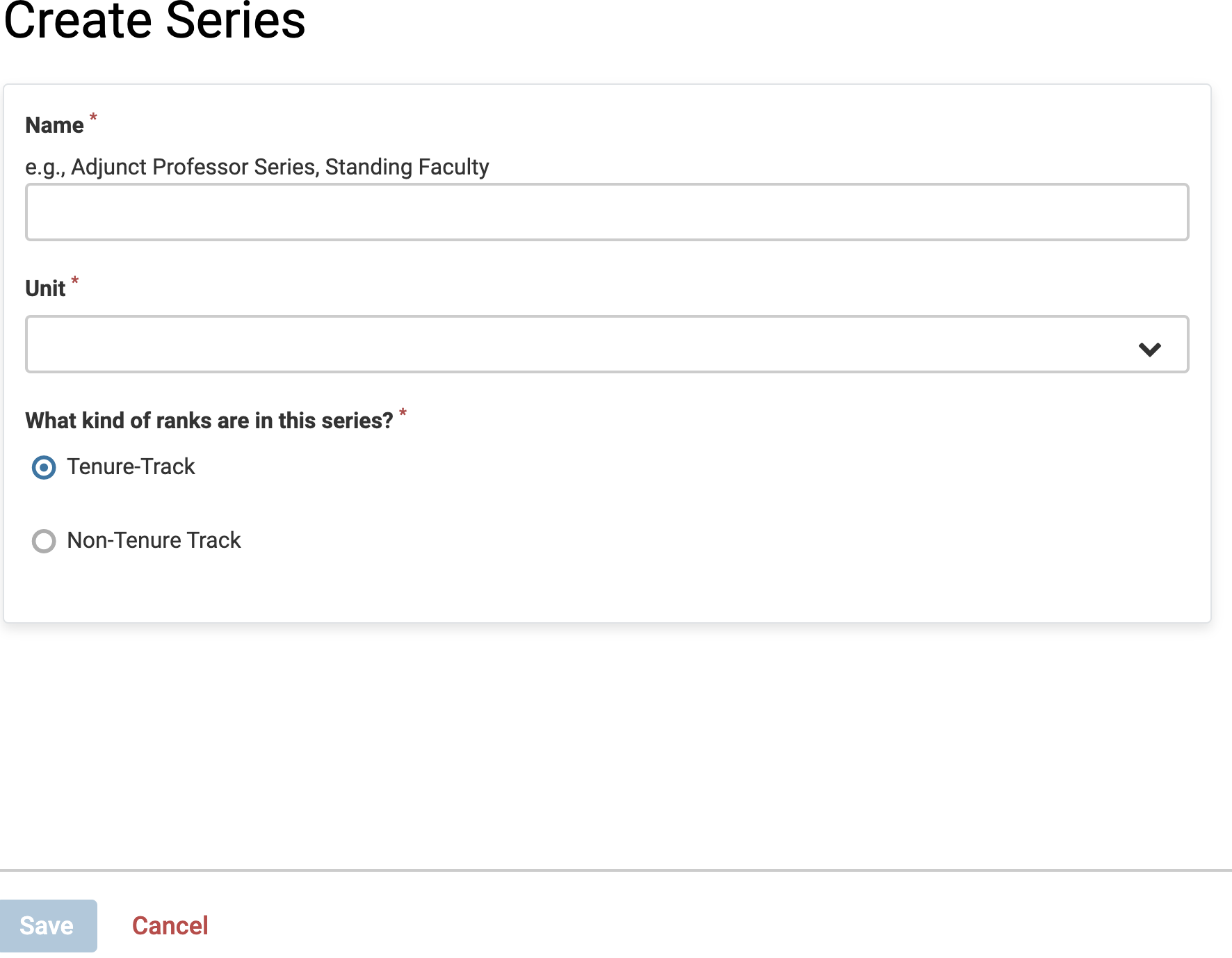
Create and Define Series
Series are groupings of faculty ranks within a broader position category, organized in a sequence that reflects increasing levels of academic rank. This organizational structure allows institutions to categorize faculty roles while providing clarity around rank hierarchies. When setting up Lifecycle Management (LM), the series the institution uses must be added before anything else can be added. Some examples include:
- A Lecturer series containing all of the specific lecturer ranks (s).

- A Tenure-Track Professor series containing all of the specific, standard ranks along the tenure track (Assistant Professor; Associate Professor; Professor; Distinguished Professor).

- A Clinical Faculty series containing all of the specific ranks that clinical faculty in a medical school might have.

Ranks that are not in the same series can not be connected within a professional journey, however a series may incorporate ranks that do not connect with one another on a professional journey. A series serves solely as a grouping of ranks. It does not include logic for movement from one rank to another.
Define Series
- Navigate to the Series page and click the Create Series button in the upper-right hand corner of the Faculty Series page.

Changes made to a Series will not affect faculty profiles that have already been created, nor will they alter any existing or historical appointments.
- Enter a Name, Unit, and Tenure-type for the series, then click the Save button.