

Create an Application and Add Materials on Behalf of an Applicant
This article explains how Committee Managers and Administrators can create an application on behalf of an applicant in Interfolio's Faculty Search (FS).
Administrators and Committee Managers cannot complete:
- A pending letter of recommendation on an applicant's behalf. Reach out to Interfolio-support@elsevier.com to have them upload the letter to the pending document slot.
- EEO or custom application forms on an applicant’s behalf. If an applicant needs to provide or update a response, their application status must permit edits, and the institution must contact them with instructions. Applicants are not automatically notified when a form is added or changed.
Manage Applications on Behalf of an Applicant
- Navigate to the Positions page and select the name of the desired position to view its overview page.

- Select Add New Applicant from the 'Positions Actions' dropdown.

- Fill out the ‘Add new applicant’ window and click Add applicant when finished. Applicants will receive a standard email after being added.

- Click the new hyperlinked Applicant Name to navigate to their application.
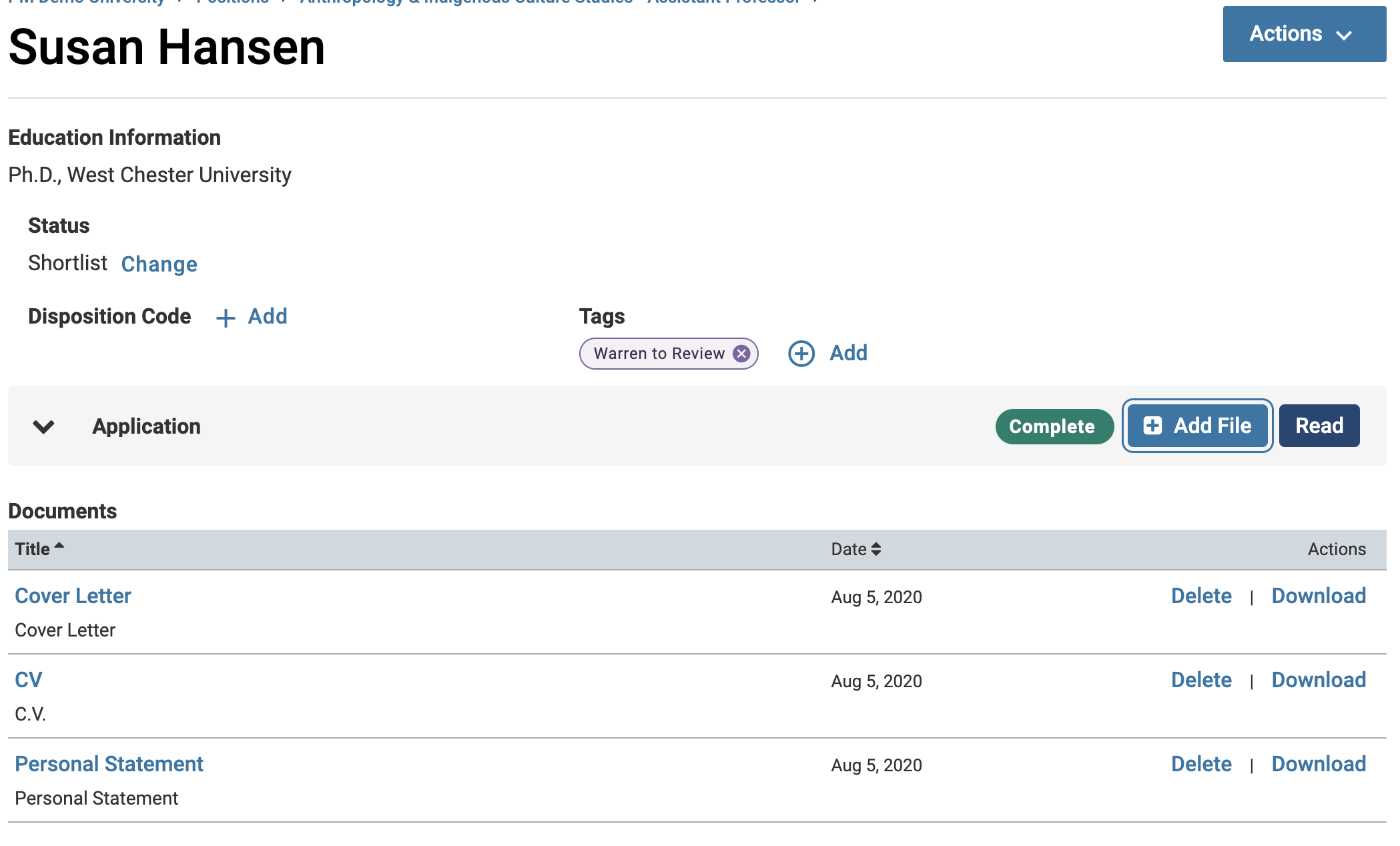
- Click the Add File button next to the ‘Application’ section to add materials on behalf of the applicant.
You may also request a letter of recommendation on behalf of the applicant from the Internal Documents > Requested Recommendations section.
FAQ
Can outgoing notifications be disabled when an administrator or committee manager creates an application on behalf of an applicant?
No. the system will automatically send a notification email to the applicant when an application is created on their behalf. There is currently no option to suppress this notification.
If you’re creating a placeholder application and do not want the applicant to be notified, consider using a temporary or alternate email address during setup.