

Request a Letter of Recommendation on Behalf of an Applicant
Administrators and Committee Managers in Faculty Search (FS) can request confidential letters of recommendation directly from recommenders on an applicant’s behalf. This can be useful during a multi-stage search when letters are requested only from applicants who advance or when the committee needs to control the timing and content of the request. The recommender receives an email containing the institution’s message and instructions for submitting the letter. The applicant does not participate in the request, and the request and submitted letter are managed from the applicant’s profile. This article explains how to request letters from one or more recommenders and how to track, edit, resend, or cancel a request.
Institution-initiated requests do not generate automatic reminder emails. Administrators or Committee Managers must follow up with recommenders when necessary. If a deadline is included, the recommender cannot submit the letter after that date has passed.
Check out the following articles to understand this process from the evaluator's persepctive and applicant’s perspective.
Request a Letter of Recommendation
- Navigate to the Positions page and click the hyperlinked name of the desired position, then click the applicant's name from the list of applicants to navigate to the applicant's page.

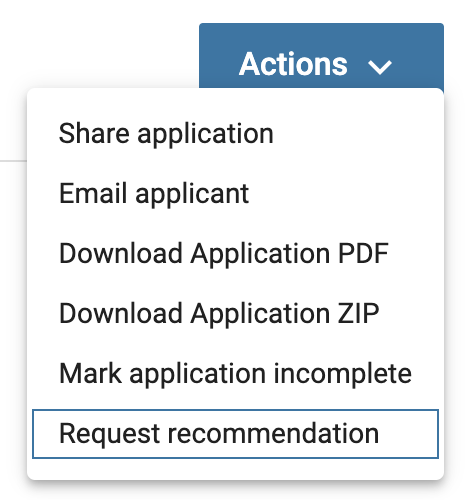
- Select Request recommendation from the ‘Actions’ dropdown in the top right-hand corner.
- Fill out the Recommendation Request form.

Letter writers will receive the message created here along with instructions for submitting the recommendation. Letters of recommendation can be requested from more than one letter writer at a time. When requesting recommendations from multiple writers, use text variables, such as %LW_First% %LW_Last% to automatically fill in the first and last name of each letter writer.
- The request will display under the ‘Requested Recommendations’ section that appears under Internal Documents once a recommendation is requested.

- This section displays the title of each letter of recommendation, its current status and available actions, such as Download, Resend, Edit, or Cancel Request. Refer to the following table for an explanation of each request status and the actions available at that stage.
| Status of Request | Description | Possible Actions |
|---|---|---|
| Pending | The request has been sent and the letter writer has neither accepted or declined the request. | Pending requests can be canceled, edited, and resent. |
| Accepted | The request has been sent and the letter writer has accepted the request but has not yet uploaded a letter. | Once a letter writer has accepted a request, the request can only be edited and resent. The request can no longer be canceled. |
| Declined | The request has been sent and the letter writer has declined the request. | No actions can be taken once a request has been declined by the letter writer. |
| Received | The letter writer has accepted the request and has uploaded their letter. |
The letter can be viewed and downloaded but cannot be deleted. Neither an administrator or the letter writer can update a letter once it has been received. |