

Close a Position and Select Applicant(s)
At the end of a search in Faculty Search (FS), an Administrator or Committee Manager can close the position and record whether one or more applicants were selected. Closing the position moves it from the active list to the closed list and prevents applicants from submitting new applications. If the position includes selection approval steps, the selected applicants can then be submitted for approval. A closed position can be reopened if additional action is required. This article explains how to close a position, record selected applicants, manage the Apply Now page, and understand the difference between closing, unpublishing, reopening, and deleting a position.
Closing a position does not automatically unpublish its Apply Now page. The page remains accessible and indicates that the position is closed, but applicants can no longer apply. To remove public access to the position details, unpublish the Apply Now page separately.
A position can be deleted only when it has no associated applications. Deletion is permanent and cannot be undone. Positions with applications must be closed rather than deleted.
Close a Position
- Navigate to the Positions page and click the Name of the desired position to edit.

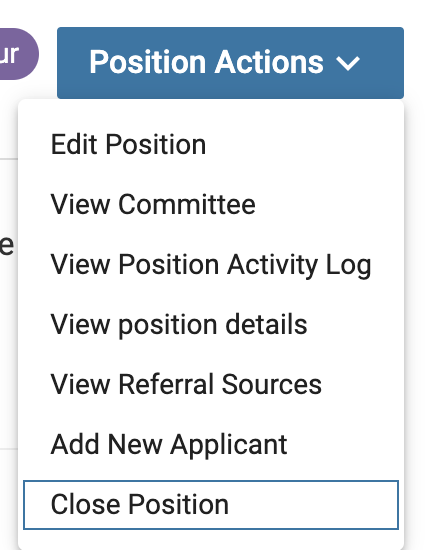
- Select Close Position from the 'Position Actions' dropdown at the top of the page.
- Indicate whether or not an applicant was selected. If an applicant was selected, click the +Add Applicant button to identify the selected applicant.

More than one applicant can be selected to fill the position.
- Click Close Position at the bottom of the page when all applicants have been selected.
- Ensure a close date is selected and unpublish the Apply Now URL. The position is now closed and applicants will no longer be able to apply to the position.
After you close the position and identify the selected applicant(s), FS may prompt you to begin the selection approval process. A selection approval process is required only when an applicable approval template contains selection approval steps for the position’s unit and position type. If no Selection Approval Steps apply to the position, no additional approval process is required after the selected applicant is recorded and the position is closed.
The Apply Now landing page will not automatically be unpublished. An Administrator or Case Manager must unpublish the landing page of a closed position so that applicants will no longer be able to access the position.
The position will then move from the Active list to the Closed (archived) list, viewable via filtering the Positions page. Once the Apply Now page is unpublished, applicants will no longer have access to the position details.
| Open Position | 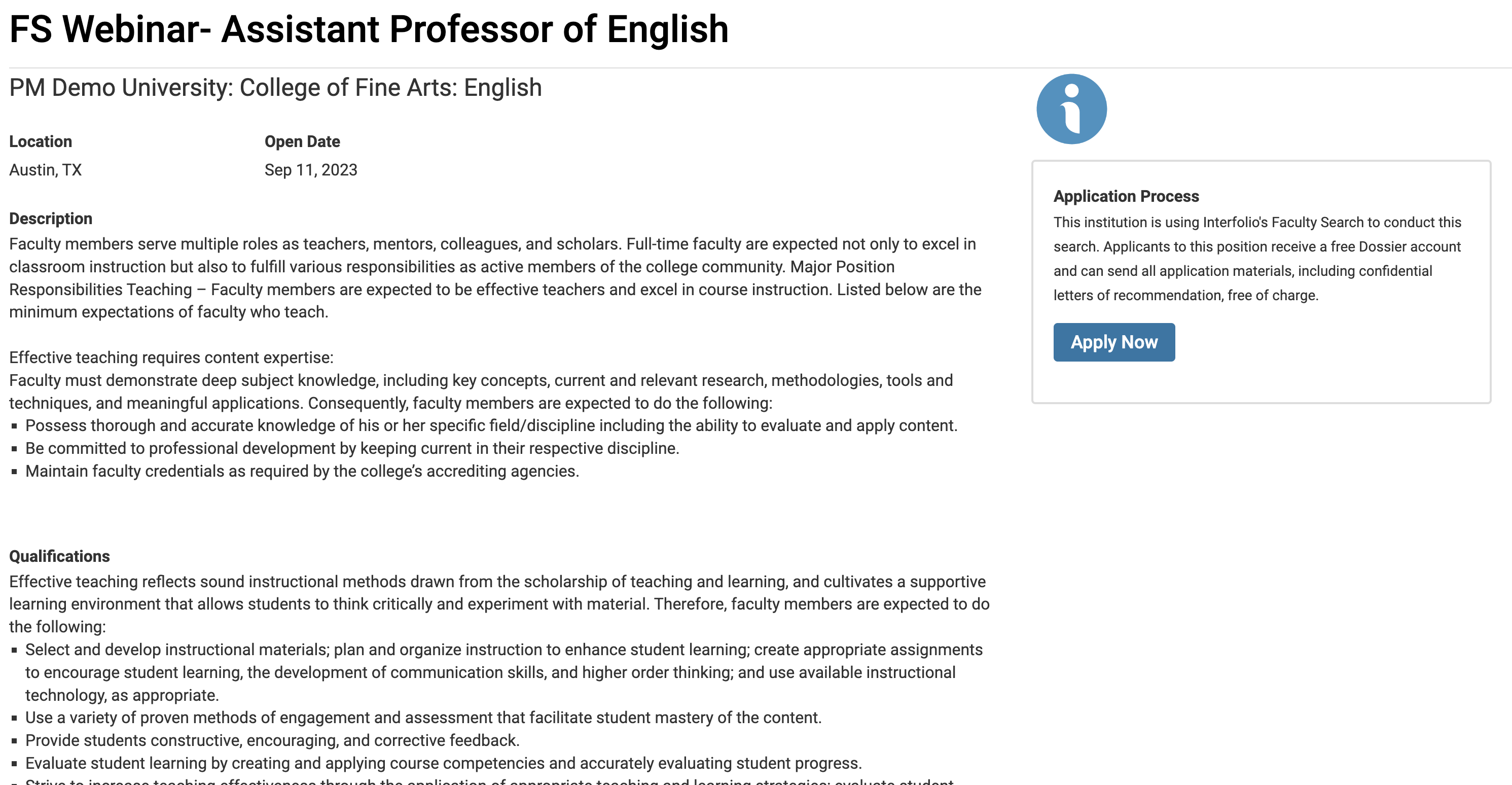 |
|---|---|
| Closed Position | 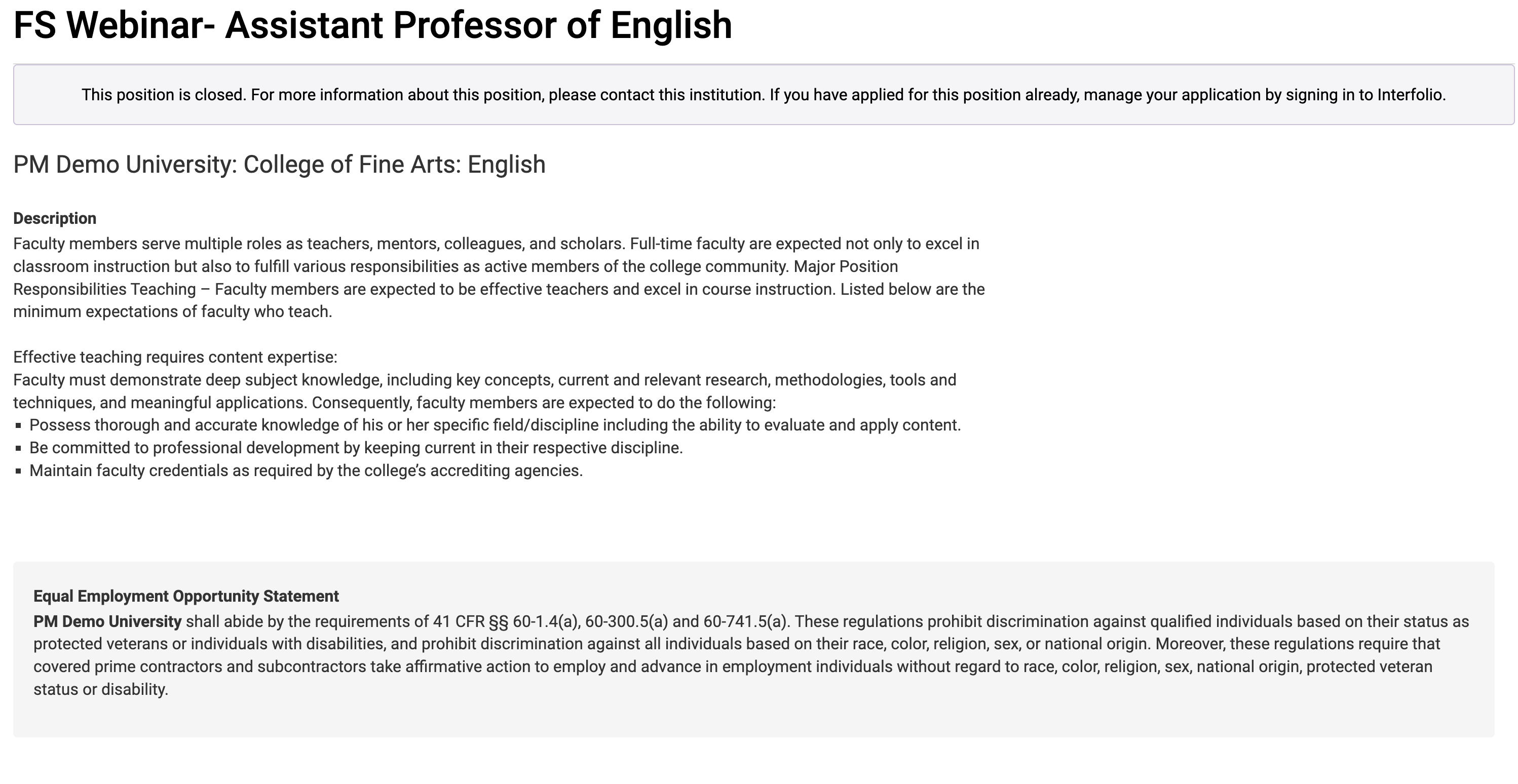 |